 Design
Floorplanner Review 2026: Online 2D Floor Plans and 3D Room Planning
Quick take
Best for: Homeowners, retailers, real estate agents and small design practices who want a browser-based floor plan editor with a free tier and the option to pay per project.
Not ideal if: Teams that need a flat all-inclusive subscription with full-resolution output on every project, or who want a rendering-first tool for high-end visuals.
Our verdict: Floorplanner's published model is free for casual use, with credits unlocking higher resolutions, watermark removal and extra floors per project. On the published terms it looks well suited to occasional planners, while heavy users should compare the credit costs against a flat subscription.
Based on the vendor’s published information; hands-on notes will be added.
What it is
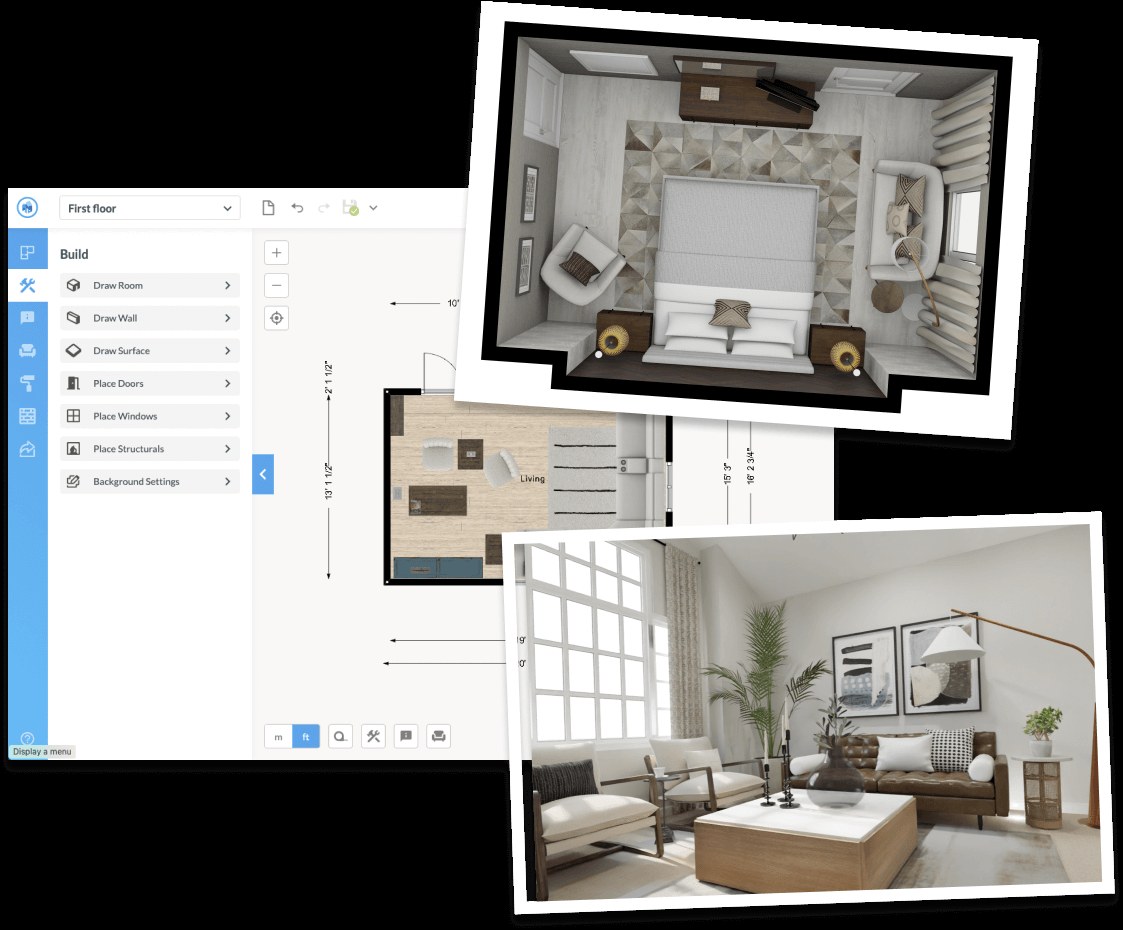
Floorplanner is an online floor plan and 3D room planning tool. The vendor says it has operated since 2007 and reports over 30 million users and over 50 million projects created.
Who it’s for
The site lists personal use, retail, real estate and interior design as use cases, and offers subscriptions for individuals and teams.
Key features
- Draw rooms, move walls and add doors and windows in a browser editor, with no installation
- Real-time 3D view and 3D renders up to 8K resolution, per the homepage
- A library of over 260,000 3D models, available to all users at no extra cost
- 2D and 3D image output with default settings meant to need no 3D experience
- Subscriptions add custom watermarks, templates and more users
Pricing
From the pricing page, read 12 October 2026 (subscription tiers re-read 13 October 2026) (USD, excluding VAT):
- Free account: up to 5 projects, limited to 3 floors and 3 designs total, with watermarked SD-quality exports
- Credits for upgrading projects (higher-resolution exports, 3D tours): 5 for $8.15, 10 for $16.30, 30 for $48.90, 100 for $163.00
- Subscriptions (individuals, shown per month, excluding VAT, read 13 October 2026):
- Basic: $0, includes 0 credits, 10-minute cooldown between exports, extra credits at $1.63 each
- Plus: $5 per month, includes 4 credits, no cooldown, extra credits at $1.36 each
- Pro: $29 per month, includes 25 credits, no cooldown, extra credits at $1.18 each
- Per-project upgrades, as listed on the same page: 2 credits removes the watermark and allows up to 7 floors with multiple variants; HD (1920 x 1080) is 5 credits; 4K (3840 x 2160) is 10 credits; 8K (7680 x 4320) is 20 credits, each a one-time fee per project
- Subscriptions add features such as custom watermarks, custom templates and the option to have more users; a Teams tab also exists, which I did not read in detail
Pros
- Free tier with no time limit
- Pay-per-project credits avoid a mandatory subscription
- Large model library included for everyone
Cons
- Credit-based upgrades make the total cost depend on how many projects you finish
- Free exports are SD and watermarked, and free-plan exports have a 10-minute cooldown
- We have not tested drawing speed or render quality
FAQ
Do credits expire? The vendor’s FAQ says credits never expire, so unused credits carry over to the next month.
Can I cancel a subscription? Yes. Per the pricing page FAQ, cancelling in the dashboard downgrades you to the free Basic account at the next renewal date, and the paid level stays active until the end of the period you have already paid for. Subscriptions renew automatically.
Is VAT charged? The vendor says it is obliged to charge VAT on purchases from people or companies in the EU, so the prices above may be higher at checkout. It also says it offers special plans for educational and non-profit organisations on request.
Alternatives
See Homestyler, Coohom and RoomSketcher.